
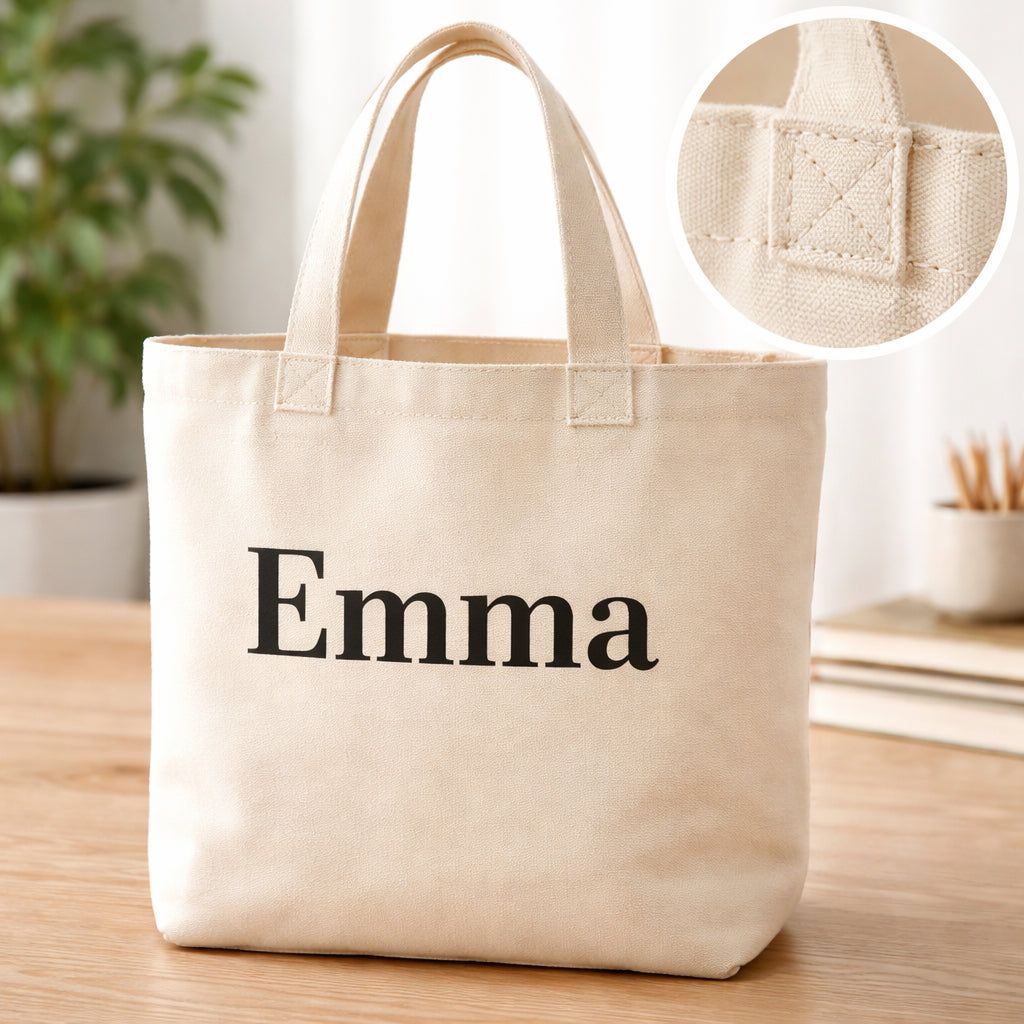
Custom Tote Bag With Name: Design Your Personalized Tote Today
Imagine you’re a mom who needs a tote for groceries, school papers, and the occasional craft kit. You love the idea of a bag that shows your family’s name, but you’re not sure where to start. You look online, see a million options, and feel overwhelmed. You want a bag that’s sturdy, looks good, and lets you add a name that’s easy to read. You also care about the planet, so you’d rather pick a reusable bag than a plastic one. This guide walks you through every step to make a custom tote bag with name that fits your life. We’ll cover the bag style, how to add the name, how to pick a maker, and how to keep the bag looking fresh for years. By the end, you’ll have a clear plan and the confidence to order your own personalized tote.
Step 1: Choose the Right Tote Bag Style and Material
First, think about what you’ll put in the bag. If you’re hauling books, a laptop, or a basket of groceries, you need a sturdy base. Canvas is a top choice because it’s heavy enough for daily wear and still feels soft. Canvas Champ’s custom tote bags use eco‑friendly canvas that can take a lot of weight. Reviewers give them a 4.7‑star rating from over 200,000 shoppers, so you know they hold up.
Why does material matter? A cotton tote feels light but may stretch at the handles after a few trips. A polyester tote is water‑resistant but can feel slick, which some people don’t like for a hand‑carried bag. Canvas gives a natural look, a firm feel, and a surface that takes ink well.
Here are three key things to check:
- Weight of the fabric. Aim for 10‑12 oz canvas for daily use. Heavier canvas works for travel bags.
- Handle strength. Look for reinforced stitching or double‑stitched handles. This stops tearing when the bag is full.
- Print quality. Canvas takes sublimation printing, which keeps colors bright even after many washes.
Imagine you’re a teacher buying a set of bags for a class gift. You pick a canvas tote because it can hold books, worksheets, and a water bottle without sagging. You also like that the bag’s surface shows the name “Ms. Lee’s Class” clearly.
And when you compare cotton versus canvas, think about how often you’ll wash the bag. Cotton can shrink if you use hot water. Canvas stays the same size when you follow gentle care steps.
But if you need a lightweight bag for a weekend market, a thin polyester tote might be enough. Just remember the print may fade faster.
Now that you know what to look for, you can move on to adding the name.
Step 2: Pick a Personalisation Method
Adding a name to a tote can be done in three main ways: screen printing, embroidery, or direct‑to‑garment (DTG) printing. Each method has its own strengths, and the right pick depends on your design and budget.
Screen printing pushes ink through a mesh screen onto the fabric. It works best for bold, simple graphics and large blocks of color. If you want a big name in a solid font, screen printing gives a crisp look and holds up well after many washes. It’s also the cheapest choice for larger runs.
Embroidery stitches the name into the fabric with thread. This adds texture and a premium feel. It’s perfect for a short name or initials on a small area, like the corner of the bag. The downside is that fine details can be hard to stitch, and the cost goes up with more colors.
DTG printing sprays ink directly onto the fabric, like a regular printer. It lets you use many colors and gradients, so you can add a name with a fancy script or a tiny illustration. The print stays soft to the touch, but it may fade faster than screen printing if you wash the bag often.
Here’s a quick decision guide:
- If you need a simple, bold name for a bulk order, choose screen printing.
- If you want a classy, stitched look for a small batch, pick embroidery.
- If you love detailed fonts or want a photo‑like effect, go with DTG printing.
And remember, each method works best on certain materials. Screen printing shines on canvas, embroidery works on thicker fabrics, and DTG does well on cotton blends.
For more background on the three methods, see the guide from Tote Bag Printing Guide. Vistaprint also breaks down the options on their custom tote bag page.
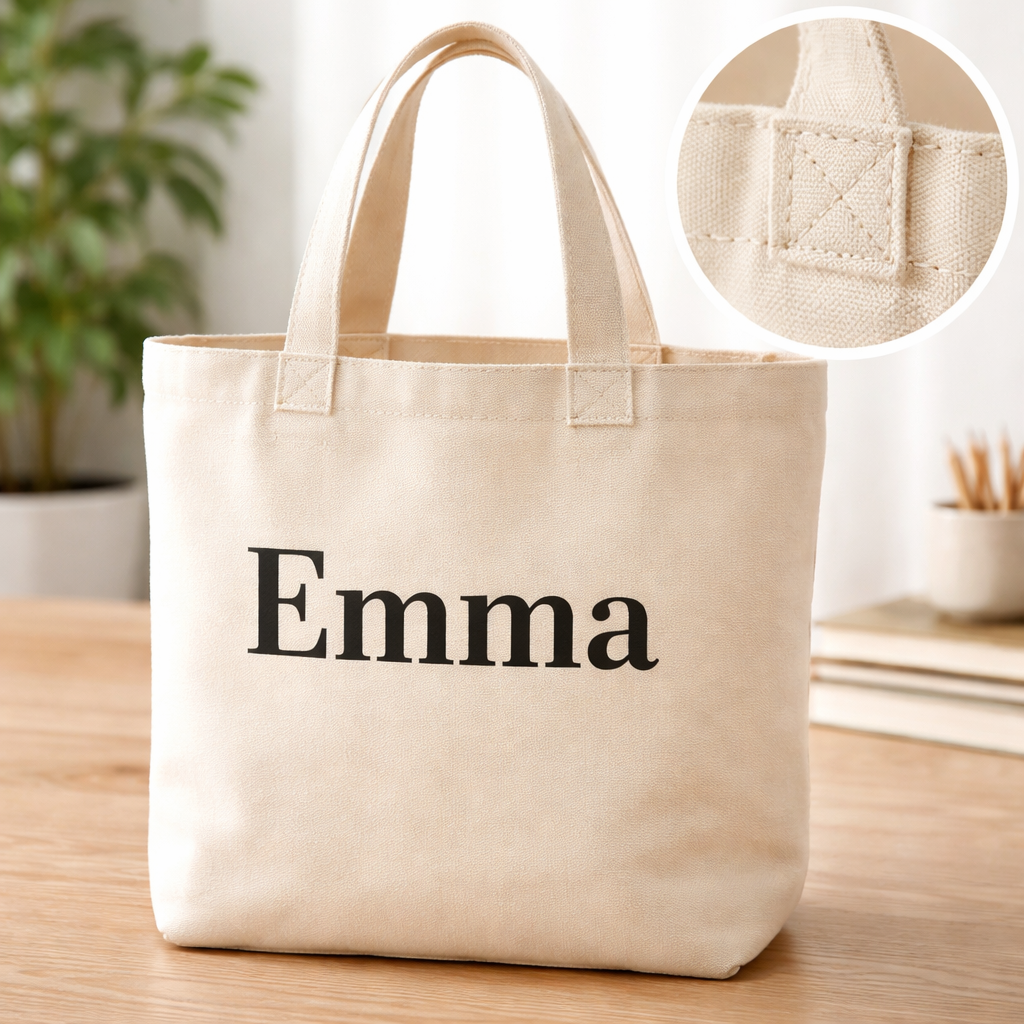
Now that you know how the name will be added, let’s design the layout.
Step 3: Design Your Name Layout
The layout decides how easy it is to read the custom tote bag with name and how it looks on the bag’s surface. Start by picking a font that’s clear at a distance. Bold fonts like Impact, Arial Bold, or Gotham Black work well because they stand out on canvas.
But don’t forget style. If the bag is for a wedding, a fancy serif like Bodoni can add elegance. For a kid’s school bag, a playful font like Lemon Milk might be more fun.
Here are three layout tips:
- Center the name. A centered name feels balanced and looks good on both sides of the bag.
- Leave breathing room. Keep at least half an inch of space around the text so the design doesn’t feel cramped.
- Match the color. Dark text on a light bag, or light text on a dark bag, gives the best contrast.
And always preview the design before you order. Most print‑on‑demand sites let you see a mock‑up of the bag with the name placed exactly where you want it.
Below is a short video that walks you through a design tool step by step. It shows how to upload a file, choose a font, and position the text.
When you’re happy with the mock‑up, export the file as a high‑resolution PNG or SVG. That will keep the edges sharp when the printer prints the name.
Think about this scenario: a dad wants a bag that says “Dad’s Garage.” He picks a bold, blocky font, centers it, and uses a deep navy color on a light gray canvas. The result is easy to read and matches his garage’s branding.
Now you have a clear layout. The next step is to find the right supplier.
Step 4: Select a Supplier – Comparison Table
Choosing a supplier is where many people get stuck. You want good print quality, fast shipping, and a price that fits your budget. Below is a simple table that compares three popular print‑on‑demand providers. The focus is on how they handle a custom tote bag with name for small and large orders.
| Supplier | Material Options | Printing Methods | Min Order | Turnaround Time | Price per Bag (1‑9) | Price per Bag (10+) |
|---|---|---|---|---|---|---|
| TeninoVentures | Eco‑friendly canvas, cotton blend | Screen, DTG, embroidery | 1 | 3‑5 business days | $12.00 | $9.50 |
| Vistaprint | Canvas, polyester, cotton | Screen, DTG, heat transfer | 1 | 2‑4 business days | $13.50 | $10.20 |
| Canvas Champ | Heavy‑weight canvas | Sublimation, screen | 1 | 4‑6 business days | $14.00 | $11.00 |
Notice how TeninoVentures offers a low minimum order and a range of printing methods. That makes it easy to order a single custom tote bag with name for a gift, or a batch for a school event.
And don’t forget to check the supplier’s reviews. A high rating often means reliable quality and good customer service.
But also look at shipping options. If you need the bag fast for a birthday, choose a supplier with rush shipping. If you’re planning a bulk order for a fundraiser, you can save money by picking a standard 5‑day ship.
Finally, read the return policy. Some suppliers will replace a bag if the print is off‑center or the fabric is defective.
With this table, you can match your needs to the right maker and move forward with confidence.
Step 5: Care and Maintenance for Your Custom Tote Bag
Even the toughest canvas can lose its shape if you don’t treat it right. Proper care keeps your custom tote bag with name looking fresh for years.
Start with the label. It tells you the exact cleaning instructions. If the label says “hand wash only,” follow that. Turning the bag inside out protects the printed name from rubbing against other items.
Here are the main steps:
- Spot clean. Use a soft cloth and mild detergent for small stains. Dab, don’t rub.
- Hand wash. Fill a basin with lukewarm water, add a tiny bit of gentle soap, submerge the bag, and swirl gently. Rinse well.
- Machine wash (if allowed). Turn the bag inside out, place it in a mesh laundry bag, use cold water on a gentle cycle, and avoid bleach.
- Dry. Air‑dry flat on a clean surface. Keep the bag out of direct sunlight to avoid fading.
- Store. Hang the bag or lay it flat. Avoid crushing the handles.
And remember, heat can damage prints. Never put the bag in a dryer or iron over the name.
Different printing methods need slight tweaks. Screen‑printed ink is tough but can crack if you use harsh detergents. DTG prints fade faster, so cold water and mild soap are best. Embroidery threads can fray, so hand wash and avoid rough scrubbing.
For more detailed washing tips, see the guide from RushOrderTees. They explain how to protect each type of print.
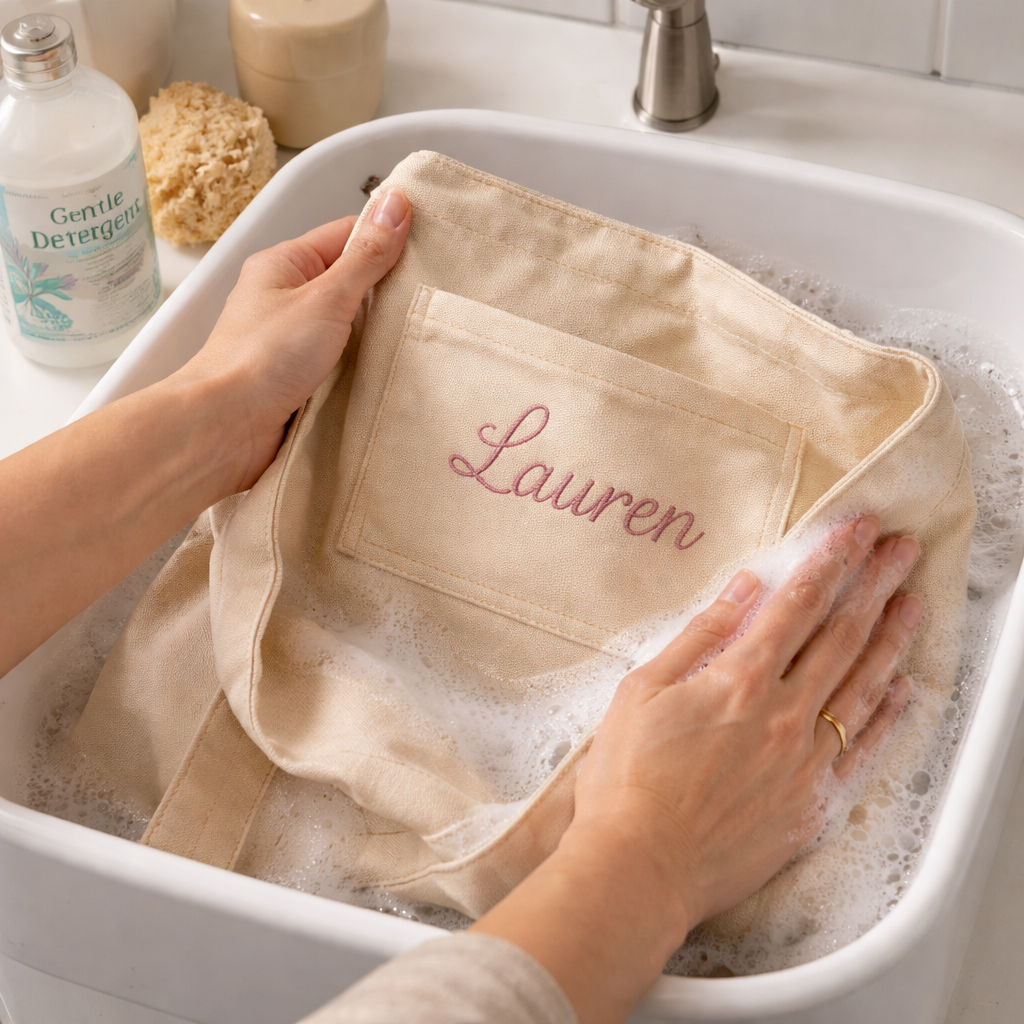
By following these steps, your bag will stay bright and the name will stay legible, even after many trips to the market.
Conclusion
Creating a custom tote bag with name is easier than it seems. Start by picking a sturdy style and material that fits your daily load. Choose a personalisation method that matches your design and budget. Lay out the name in a clear, bold font and preview the mock‑up. Use the comparison table to find a supplier that offers the right mix of quality, price, and speed. Finally, care for the bag with gentle washing and proper storage so the name stays crisp. With these steps, you’ll have a bag that looks great, works well, and lasts for years. Ready to make your own? Visit your favourite print‑on‑demand shop and start designing today.
FAQ
How do I choose the best material for a custom tote bag with name?
Look for a material that matches the bag’s purpose. Canvas offers durability and good print quality, cotton feels soft but may stretch, and polyester is water‑resistant but can fade. Check the fabric weight, handle reinforcement, and how the material reacts to washing. For everyday use, a 10‑12 oz canvas is a reliable choice.
Which personalization method gives the sharpest name on a tote?
Screen printing provides the sharpest edges for simple, bold names and holds up well after many washes. DTG printing allows detailed scripts and colors but may fade faster. Embroidery adds texture but is best for short names or initials. Pick the method that fits your design complexity and budget.
Can I order just one custom tote bag with name?
Yes. Many print‑on‑demand sites, including TeninoVentures, have no minimum order requirement. You can order a single bag for a personal gift or test a design before ordering a larger batch.
How do I make sure the name is readable from a distance?
Use a bold, high‑contrast font like Impact or Arial Bold. Keep the text size large enough to fill the central area of the bag, and leave some margin around the edges. Preview the mock‑up on the supplier’s site to confirm legibility.
What is the best way to wash a custom tote bag with name?
Turn the bag inside out, use mild detergent, and wash in cold water. Hand washing is safest for all print types. If the label allows, you can use a gentle machine cycle, but avoid bleach and dryer heat. Air‑dry flat and reshape while damp.
Are there any extra fees for adding a name to a tote bag?
Most providers include the cost of adding text in the base price, especially for screen printing. DTG and embroidery may add a small extra charge per color or per stitch. Check the supplier’s pricing sheet before you checkout to avoid surprise fees.
Where can I learn more about measuring watch straps while designing a tote?
For a related guide on sizing, you can read Watch Strap Size Guide: Find the Perfect Fit for Any Timepiece. It explains how to measure and match sizes, which is useful if you’re adding a small watch‑themed graphic to your bag.
How do I pick the right watch case size when adding a logo to a tote?
The Watch case size guide shows how to choose a case that matches wrist dimensions. Knowing this helps you design a logo that fits well on a tote’s printable area without looking crowded.
What should I consider for watch band sizing if I want a matching tote design?
Check out the Watch Band Size Guide. It offers tips on measuring band width and length, which can inspire proportional design choices for text and graphics on your tote.

Leave a comment
This site is protected by hCaptcha and the hCaptcha Privacy Policy and Terms of Service apply.