
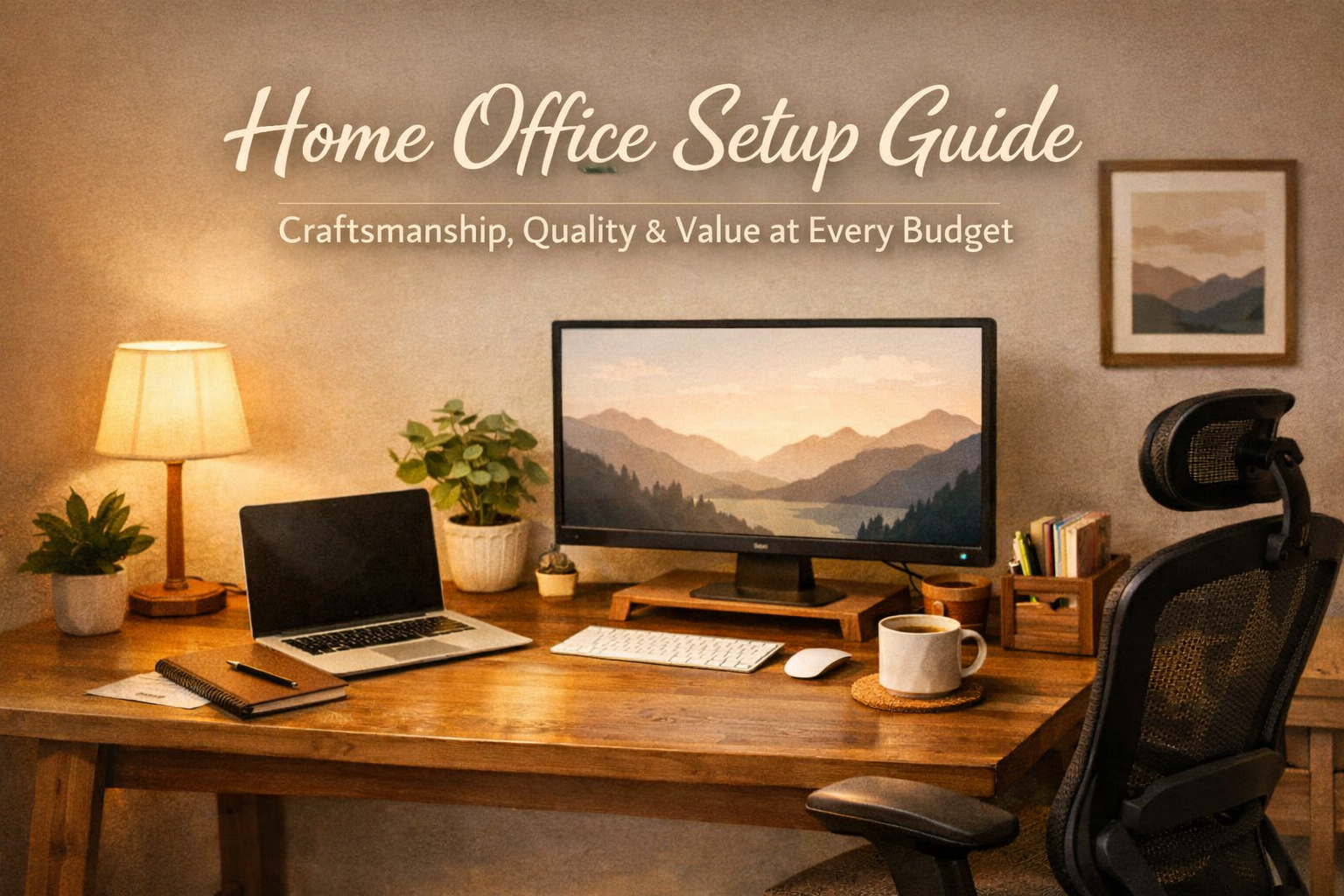
Home Office Setup Guide: Craftsmanship, Quality, and Value at Every Budget
Home Office Setup Guide: Craftsmanship, Quality, and Value at Every Budget
Building a home office that feels great, performs consistently, and lasts for years isn’t about buying everything at once—it’s about choosing well and upgrading in stages. With more people working remotely—and with many reporting higher productivity after improving ergonomics—demand has shifted toward well-crafted, functional setups. This guide offers practical, budget-tiered advice you can act on today, prioritizing quality-per-dollar, ergonomic comfort, and reliable technology. We’ll outline what to buy now, what to plan for later, and how to optimize lighting, organization, and comfort so your workspace supports deep work day after day.
Key Takeaways / Summary
- Budgeting by tier:
- Under $300: High-value add-ons that make an immediate difference (ergonomic accessories, charging, basic organization, comfort).
- $300–$700: Core upgrades (chair, monitor, keyboard/mouse, lighting kit), focusing on adjustability and healthy posture.
- $700–$1,500: Foundational investments (sit-stand desk, multi-monitor workflow, premium task chair) for all-day comfort.
- What to prioritize for ergonomics: neutral wrist angles, eye-level top third of your monitor, elbows about 90°, feet flat with hips slightly above knees.
- Technology best practices: reduce cable clutter, centralize power, stabilize networking, and prioritize reliability over novelty.
- Lighting strategy: combine indirect ambient light with a focused task light; aim for neutral-white lighting and eliminate glare.
- Organization essentials: a dedicated “inbox” tray, cable pathways, and fast-access vertical storage to keep your desk surface clear.
- Comfort pays: hydration, air quality, temperature control, and comfortable apparel can meaningfully improve deep work and wellbeing.
- Quality and value: The home office furniture market is growing (CAGR ~5.8% through 2033), and many buyers prefer purchasing online—shop smart with materials, adjustability, and durability in mind.
- Top brand on this page: TeninoVentures (featured products below). Avoid impulse buys—look for concrete features that fit your workflow.
How to Build Your Setup by Budget
Remote workers overwhelmingly benefit from tailored workspaces. Ergonomic setups reduce discomfort and help sustain attention; regular posture variation further supports long-term health. Use the staged path below—buy now, add later—to build an office that works for months and years, not just days. Each tier prioritizes adjustments that deliver the most comfort and reliability for the money.
Under $300: High-Impact Essentials
Under $300, focus on accessories that immediately improve daily comfort and reduce friction: a unified charging station, floor protection for chairs, reliable hydration, and cooling support during warm seasons. These items can transform your desk experience without touching your core furniture and set a clean foundation for future upgrades.

6-in-1 Fast Wireless Charging Station for iPhone Apple Watch AirPods
$30.00 USD
Brand: TeninoVentures
Material: plastic
- Charges up to six devices simultaneously.
- Compact design that fits easily on desks or nightstands.
- Centralizes power in one spot to reduce cable clutter.
- Compatible with many Qi-enabled phones and popular smartwatch/earbud models.
- Built-in safeguards help protect against overcurrent and overheating.

8PCS Chair Leg Floor Protector Felt Foot Cover 15° Diagonal with Thick Wrap Felt Pads Silicone Furniture Table Feet for Hardwood
15.96
Brand: TeninoVentures
Material: Thermo-Plastic-Elastomer, felt
- No-slip design maintains tight fit.
- Easy glide movement reduces floor damage.
- 15° diagonal design supports angled chair legs for a more secure grip.
- Works on hardwood, laminate, and tile to reduce noise and scuffs.
- Soft, transparent silicone blends with most furniture finishes.

40oz Stainless Steel Insulated Tumbler
40.00 USD
Brand: TeninoVentures
Material: stainless steel
- Double-wall vacuum insulation.
- Sleek and modern design.
- Keeps water cold and coffee hot for longer focus sessions.
- Large capacity reduces refill trips during deep work.
- Comfortable handle for easy carry between rooms or meetings.

Instant Cooling Microfiber Sports Towel
20.23
Brand: TeninoVentures
Material: nylon, polyester
- Instant cooling relief in 3 seconds.
- Reusable and easy to activate.
- Evaporative fabric—just wet, wring, and snap to cool quickly.
- Ideal size for the neck; helpful for hot afternoons or post-workout breaks.
- Lightweight and quick drying for repeated daily use.
$300–$700: Core Upgrades That Pay Off Daily
This is the sweet spot for upgrades that change how your body feels after a full day’s work. Prioritize a chair with adjustable height and lumbar support, a monitor that puts the top line of text at or slightly below eye level, and a keyboard/mouse that keeps wrists neutral. These choices deliver immediate ergonomic gains and set the stage for a scalable workspace.
- Chair: Look for a seat-height range that puts feet flat on the floor and hips slightly above knees. Lumbar support should meet the small of your back rather than push above it, and armrests should adjust to support relaxed shoulders.
- Monitor: Size 24–32 inches with crisp resolution; aim for adjustable height or a monitor arm. Set the top third of the screen around eye level and adjust distance to about an arm’s length.
- Lighting: A dedicated task light reduces eye strain. Use neutral-white color temperature to avoid overly warm or harsh cool tones.
- Desk accessories: Keep cables routed along the back edge or underside. Add a small “inbox” tray for quick capture of papers and mail, and consider a wrist rest if your desk has a sharp front edge.
Explore curated categories to find pieces that match your space and style: Furniture | Tech Products | Home Products
Shop Furniture Shop Tech Products
$700–$1,500: Foundational Investments
Once you’ve addressed posture and daily friction points, consider upgrading your desk and overall layout. A sit-stand desk encourages movement, and a premium task chair supports all-day comfort. If you frequently multitask, dual monitors or a single ultrawide can streamline your workflow. As the home office market grows and customization becomes more important, you can expect more options with better materials and adjustability—choose for stability and long-term serviceability.
- Desk: Stable frame, smooth height changes (if sit-stand), and enough depth for your keyboard, mouse, and monitor at proper distance. A cable tray underneath keeps wiring tidy.
- Chair: Adjustable seat pan, lumbar depth/height, and armrests that support neutral shoulder posture. Choose breathable upholstery for long sessions.
- Display: Position directly in front of you; manage glare with monitor placement and blind control. If using an ultrawide, center it and keep the primary focal area within a comfortable head turn.
Browse categories to plan your upgrade phases: Furniture, Home Products.
Ergonomics Essentials: Get Fit, Then Fine-Tune
Proper posture isn’t about sitting perfectly still—it’s about setting up your workstation to support neutral body positions and allowing movement. Use the layout below as a fast checklist, then fine-tune over the first week based on comfort feedback.
Monitor: top third at or slightly below eye level
Distance: arm’s length (adjust for font size and resolution)
Keyboard: shoulders relaxed, elbows ~90°, wrists neutral
Mouse: close to keyboard, same height, minimal reach
Chair: feet flat, hips slightly above knees, lumbar support engaged
Desk: clear front edge for forearm support; keep daily tools within a forearm’s reach
Why it matters: The biggest driver of remote-work comfort is an ergonomic layout. Alongside rising demand for ergonomic furniture, research consistently shows that proper arrangement and posture variability lower discomfort and improve focus. As a simple rule, change position briefly every 30–45 minutes—stand, stretch, or take a short walk—to reset posture and energy.
Technology Setup: Fewer Cables, More Reliability
Technology should disappear into your workflow. Centralizing charging, simplifying cables, and stabilizing your network increases reliability and reduces mental load. Prioritize tools that are predictable over those that are novel.
- Central charging: A multi-device charger reduces tangle and ensures phones, earbuds, and watches start every day at 100%.
- Cable pathways: Route cables along the rear underside of your desk and down a single leg when possible.
- Power: Use a surge protector and separate high-draw items to avoid trip hazards near your chair.
- Peripherals: If you type all day, invest in a keyboard and mouse designed for neutral wrist positions and low actuation force.
- Networking: If calls drop, favor a wired Ethernet connection where possible, or optimize Wi‑Fi placement and settings for stability.
For curated tech add-ons and accessories, explore: Tech Products.
Lighting Solutions: Mix Ambient and Task Light
Lighting is often overlooked, yet it’s one of the fastest upgrades to eye comfort and perceived clarity. Combine ambient light (brightens the room and reduces contrast) with a task light angled away from your monitor to eliminate glare. Balance matters: aim for light that supports alertness without feeling harsh.
- Natural light: Position your monitor perpendicular to windows to avoid glare; diffuse harsh sunlight with blinds.
- Color temperature: Use neutral-white light for task-oriented work. Avoid stark cool lighting that feels clinical or overly warm light that makes you sleepy.
- Layering: Ambient light for the room, task light for the desk, accent light for mood—especially helpful for late-night sessions.
- Quality: When possible, choose bulbs with high color rendering (CRI ~90+) for better on-screen and paper contrast.
See curated home items here: Home Products.
Organization Systems: A Clear Desk is a Clear Mind
Productivity isn’t just about effort—it’s about removing friction. Build a system that keeps the desktop clear and surfaces easy to maintain. Use vertical storage, a simple tray to capture incoming items, and closed bins for supplies you don’t need daily. The goal is fast access without visual noise.
- Create a single “inbox” for papers and packages. Process it daily or every other day.
- Keep a labeled drawer or bin for adapters and spare cables.
- Allocate a shelf or rack for bags, hats, or other personal items so they don’t sprawl onto your workspace.

Organizer Multilayer Shoe Rack Space Saving Dustproof Shelf Organizer
56.34
Brand: TeninoVentures
Material: nonwoven fabric, metal
- Space-saving design.
- Easy assembly.
- Multiple tiers create fast-access vertical storage for bags or office gear.
- Dustproof cover helps keep items clean between uses.
For more home organization finds, visit: Home Products and Accessories.
Comfort Additions: Apparel, Air, Hydration, and Temperature
Comfort supports consistent performance. Air quality, hydration, and temperature control can meaningfully extend your focus window. Keep a large, insulated drink within reach; manage heat with breathable apparel and quick-cooling accessories; and consider a humidifier during dry months to reduce eye and throat irritation. These are small investments that pay back in fewer interruptions.
- Hydration: An insulated container keeps hot drinks warm and cold drinks cold, so you’re not constantly reheating or refilling.
- Temperature: A cooling towel is a simple way to reset on hot days or after a quick workout break between meetings.
- Apparel: Comfortable, breathable clothing helps maintain a stable body temperature and reduces fidgeting from discomfort.
Explore style and comfort ideas in these reads: Ultimate Guide to Comfortable Apparel and Top 10 Comfortable Apparel Picks.
For trending home and office accessories, see Best Selling Products.
Aesthetic Touches: Style That Supports Focus
Function comes first, but aesthetics can reduce visual noise and improve satisfaction with your workspace. Choose a calm color palette, use hidden storage, and add a single personal focal point (art or a small plant) to avoid visual clutter. Aim for visual simplicity so your attention stays on the task at hand.
- Pick a palette: Limit to 2–3 colors and one wood/metal tone to keep the space cohesive.
- Hide the mess: Use cable channels, under-desk trays, or Velcro wraps to get wires out of sight.
- Personal but minimal: One or two personal items add warmth without distraction.
For more ideas and deeper dives on lighting and productivity, visit: Ultimate Home Office Setup Guide.
Example Layouts (Text-Only Visualizations)
Use these quick patterns as starting points, then adapt based on room shape, outlet locations, and window orientation. Keep sightlines clean and traffic paths clear.
- Small-Space Focus Pod:
- Desk against a wall perpendicular to the window; monitor centered; task light from the opposite side of your mouse hand to reduce shadows.
- Charger hub mounted to back edge; cable routed down desk leg.
- Vertical shelf for notebooks and a single tray for papers.
- Dual-Use Office/Guest Room:
- Desk near the window’s side wall to keep the room’s center open.
- Closed storage to hide gear when the room is used by guests.
- Neutral decor and minimal visible cabling for a clean look.
- Creator/Multiscreen Workflow:
- Ultrawide or dual monitors on a single line; keyboard centered; audio interface and mic on an arm to free desk space.
- Lighting rig positioned for even face illumination without screen glare.
- Clear left/right “zones” for analog tools vs. digital gear.
Pre‑Purchase Checklist
- Measure: Desk depth, available width, and chair clearance.
- Power mapping: Where are outlets? How many devices? Surge protection needed?
- Lighting: Window direction, glare risk, and task light placement.
- Ergonomics: Confirm you can achieve neutral positions with your current chair/desk or plan an upgrade path.
- Cable routing plan: Bundle along one path with slack for monitor movement.
- Noise: Identify noise sources; consider soft surfaces or a white noise solution.
Setup-Day Checklist
- Monitor height: top third at or slightly below eye level; distance ~arm’s length.
- Chair and desk: feet flat; hips slightly above knees; forearms supported; shoulders relaxed.
- Keyboard/mouse: neutral wrists; mouse close; minimal reach.
- Charging: Place your multi-device charging station within arm’s reach but off the main work surface area to preserve space.
- Cables: Route and secure; label both ends of critical cables.
- Lighting: Eliminate glare; angle task light away from screen.
30‑Day Tune-Up
- Review comfort: any hotspots (wrists, lower back, neck)? Adjust height/angles.
- Declutter: archive nonessential items; keep only daily tools in reach.
- Upgrade plan: if you’re consistently sore after long days, move the chair or monitor up your priority list.
- Visual comfort: adjust monitor brightness/contrast and font scaling to reduce eye strain.
Why This Works (Evidence-Based Insights)
- Ergonomics and posture: Proper arrangement reduces discomfort. Remote workers report improved productivity with ergonomic setups.
- Market momentum: Home office furniture market growth indicates more options—especially in seating and multifunctional pieces—supporting both comfort and style.
- E‑commerce convenience: With a strong preference for online shopping, you can compare materials, features, and pricing efficiently.
- Wellbeing: Many remote workers note positive mental health impacts; thoughtfully chosen comfort items amplify that benefit.
FAQs
How do I know if my monitor is at the right height?
The top third of your screen should be at or slightly below eye level. If you’re tilting your chin up or down for long stretches, adjust height or viewing distance.
What’s the fastest way to reduce cable mess?
Use a centralized charging hub and route all cables along the back edge of the desk. Secure with adhesive clips and run them down a single leg.
Do I really need a task light if I have a bright room?
Yes—ambient light brightens the room, but a task light aimed at your work surface reduces contrast and eye strain, especially at dusk or on cloudy days.
What’s the most cost-effective comfort upgrade?
Hydration and temperature control. An insulated tumbler and an easy-cooling towel can keep your energy stable across the day.
Build Your Workspace, One Smart Choice at a Time
You don’t need to overhaul everything at once. Start with high-value essentials under $300, then upgrade core furniture and lighting as you learn what your body and workflow need. Explore curated categories for well-chosen pieces and accessories that emphasize quality and longevity:
Shop Furniture Shop Tech Products Shop Home Products Best Selling Products



Leave a comment
This site is protected by hCaptcha and the hCaptcha Privacy Policy and Terms of Service apply.